Bulk Actions
Who's this page for?
Users with the "Verify entries" or "Verify assets" permission.
Verified Elements adds two actions to every entry and asset listing in the control panel. They work in the plugin's own CP section as well as in Craft's regular Entries and Assets areas.
Verify
Sets a new "Verified until" date on all selected elements in one step.
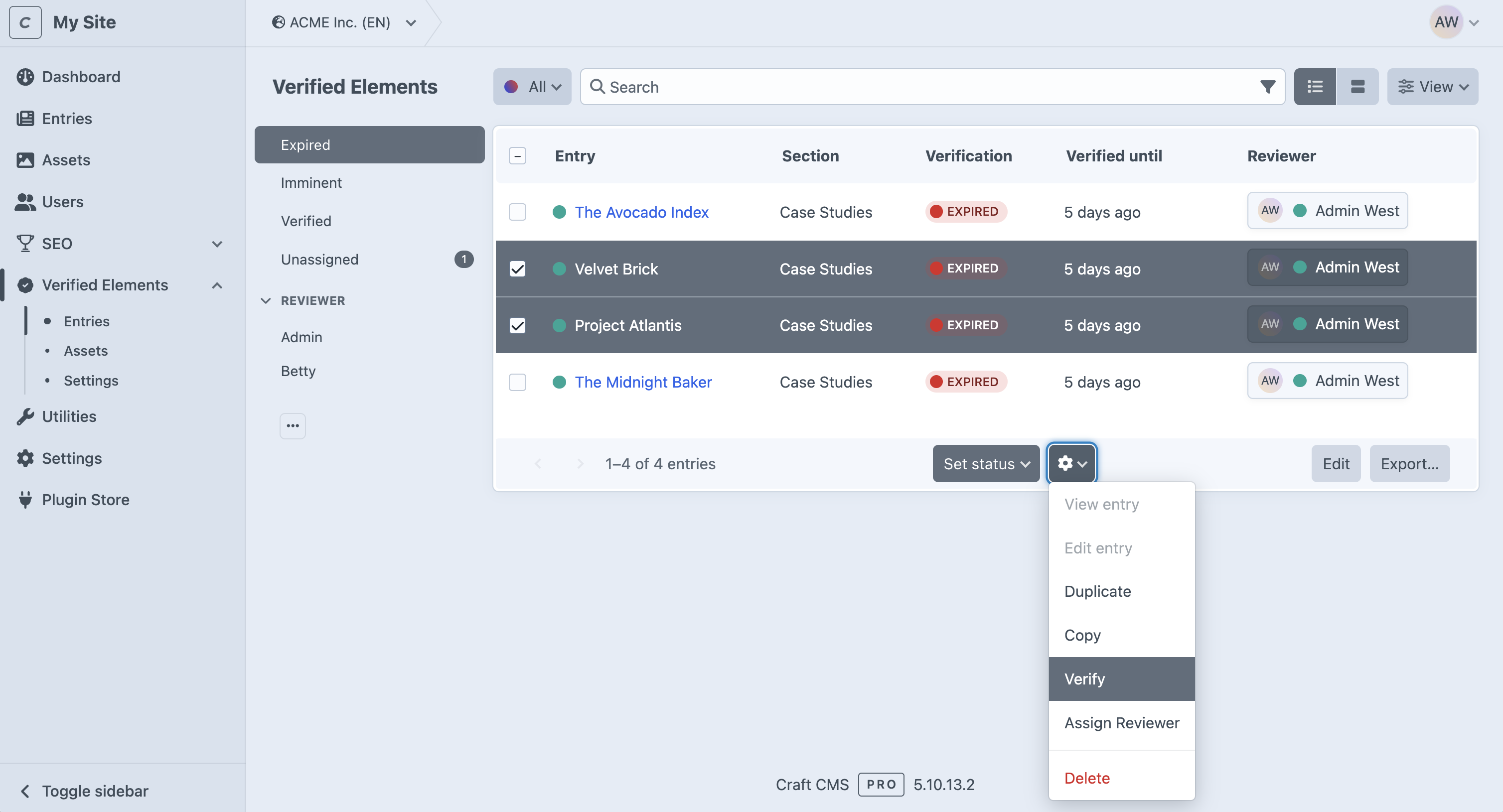
- Select one or more elements in the list (checkboxes).
- Open the actions menu and choose Verify.
- In the dialog, pick a period under "Verify for": 7 days, 30 days, 90 days, 1 year, Indefinitely, or Specific Date (which reveals a date picker).
- Confirm. All selected elements receive the new date and count as Verified again.
TIP
Use this after a review round: filter the Expired list, check the content, select everything that is still accurate, and verify it in one go.
Assign Reviewer
Assigns one Craft user as Reviewer to all selected elements.
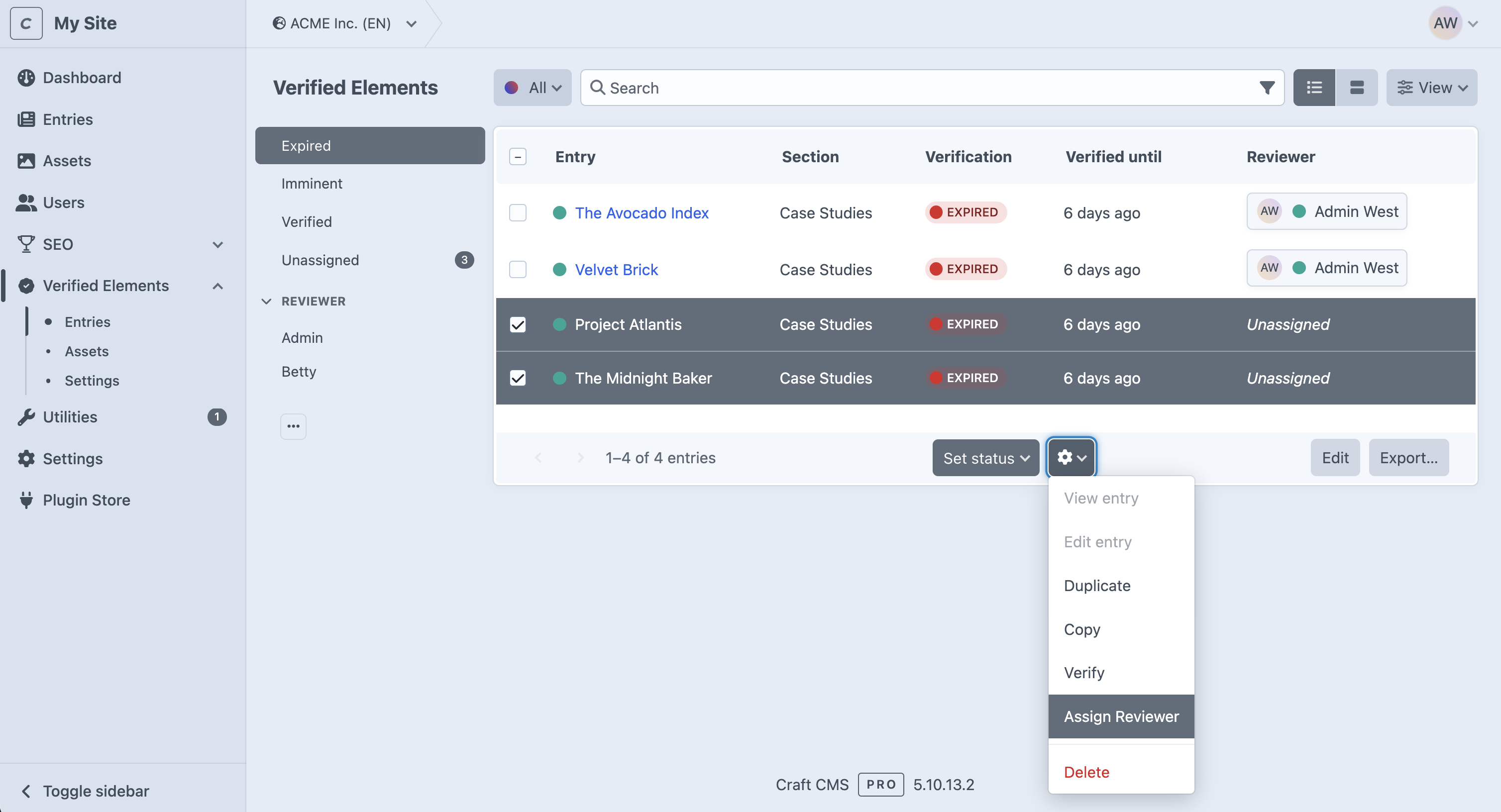
- Select one or more elements in the list.
- Open the actions menu and choose Assign Reviewer.
- Pick a user in the selection dialog. Only active users who may verify this element type are offered.
- Confirm. The user is now responsible for all selected elements.
TIP
Use this together with the Unassigned filter in the plugin's CP section to make sure every expiring element has someone watching it.
Notes
- Both actions save each selected element, so the usual save behavior applies (including change notifications to Reviewers, see Email Notifications).
- If some elements could not be saved, the action reports that not all elements were processed. Re-run it on the remaining selection.