Working as a Reviewer
Who's this page for?
Anyone who has been assigned as a Reviewer. Being a Reviewer is an assignment, not a permission. You can be assigned elements even if you can't verify them yourself. In that case, you review the content and a colleague with the verify permission confirms it.
What being a Reviewer means
If someone assigns you as the Reviewer of an entry or asset, you become responsible for re-checking it when:
- its "Verified until" date passes, you receive an email digest listing everything of yours that expired.
- the element is changed while it's verified, you receive a change alert email so you can re-check the edits.
- the element appears in your personal review queue (see below) until it's verified again.
Where to find your review queue
There are three places:
1. Your account page
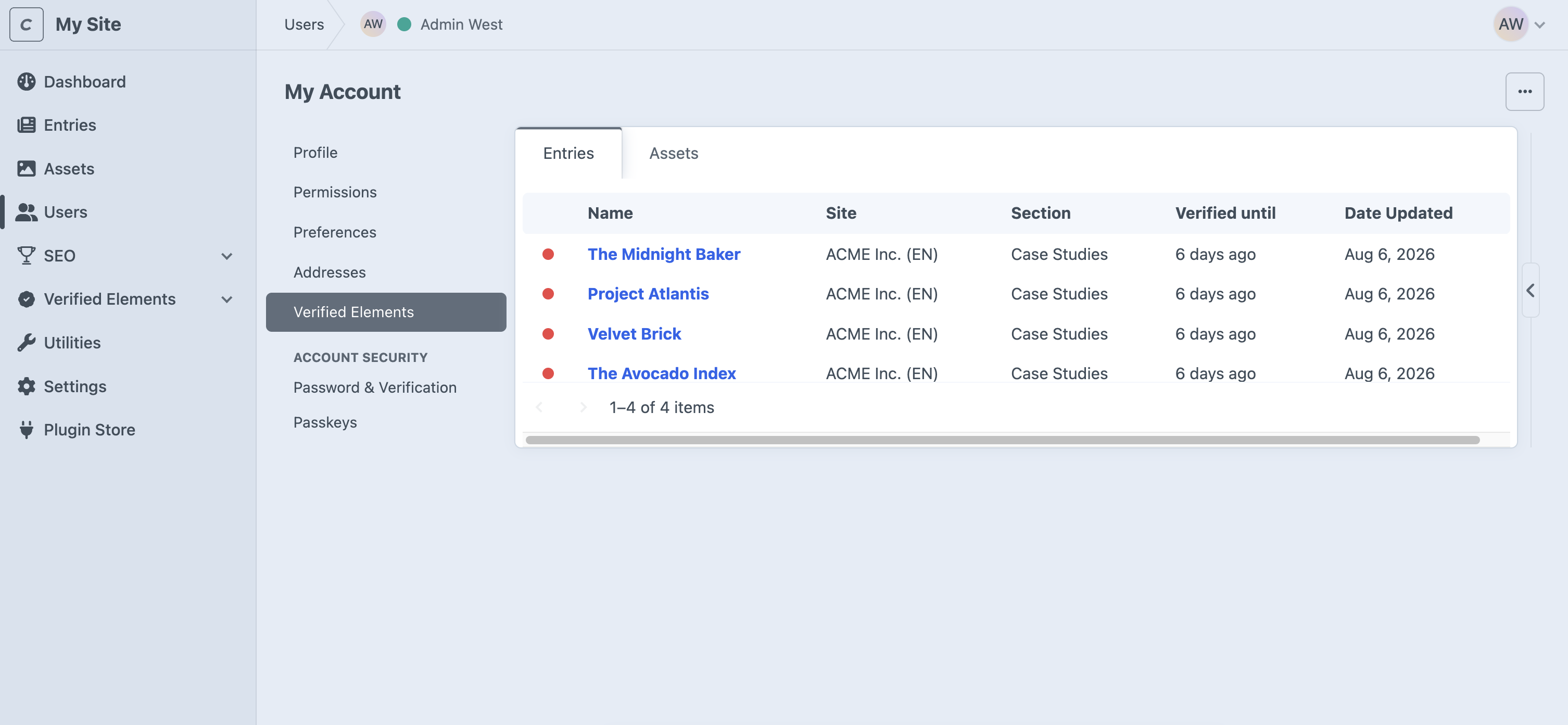
Go to My Account → Verified Elements. This page lists all elements assigned to you, with tabs for Entries and Assets (Pro edition), and columns for status, site, section or volume, "Verified until", and the last update. Administrators can open the same page on any user's profile to see that person's assignments.
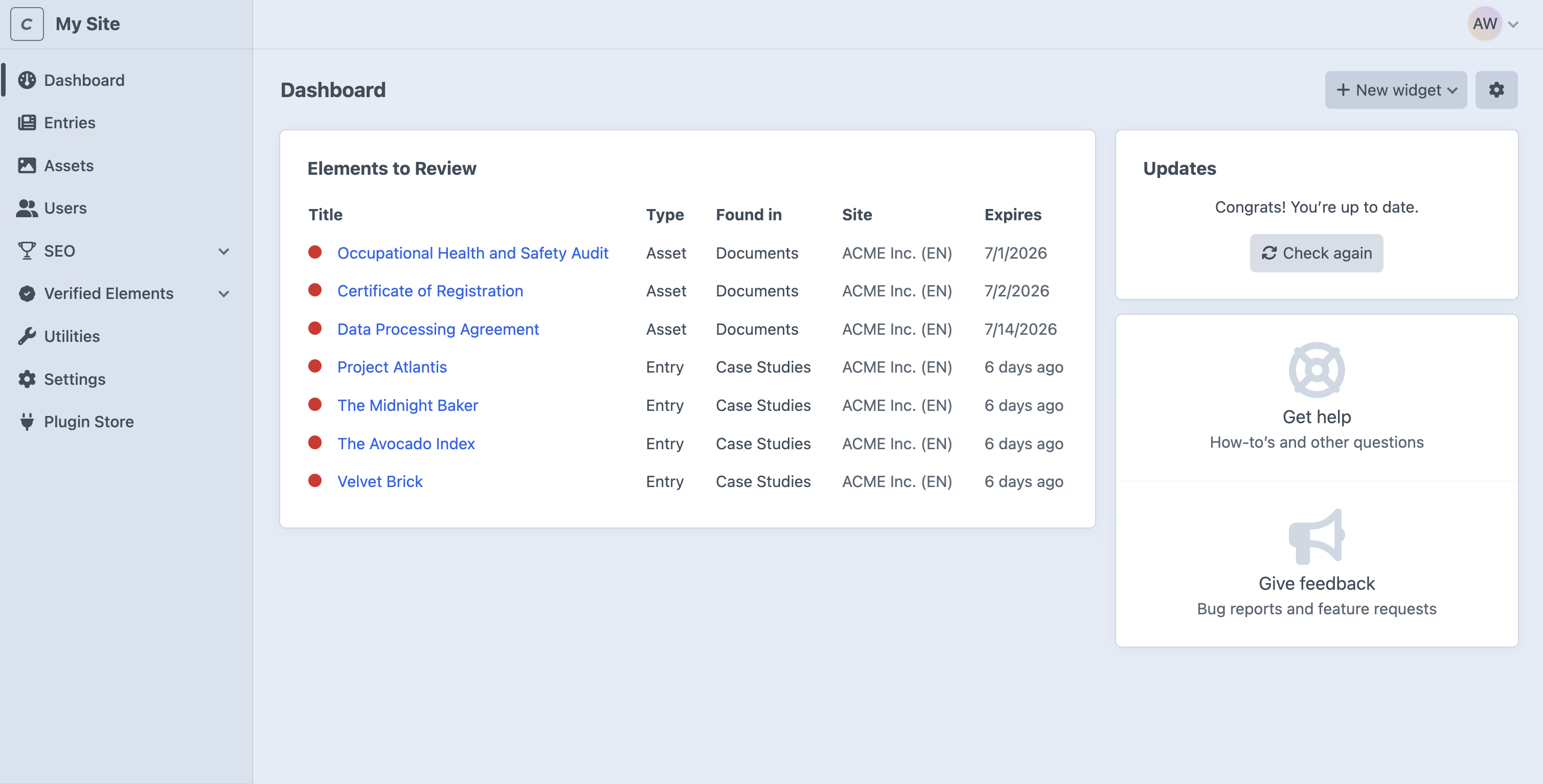
2. The "Elements to Review" dashboard widget
Add it to your Craft dashboard. It lists your expired elements, most overdue first. See Dashboard Widgets.
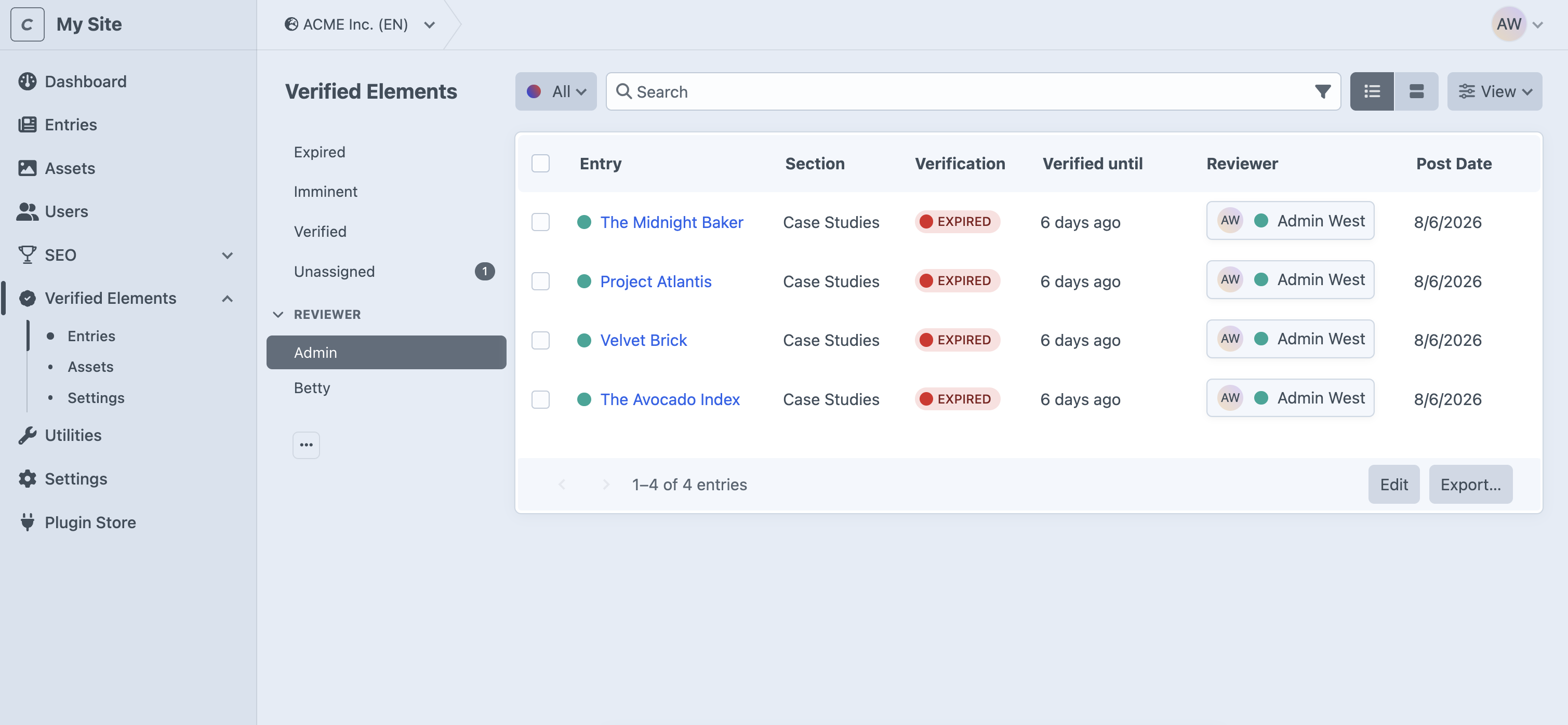
3. The plugin's CP section
In Verified Elements, the sidebar has a filter with your name that shows everything assigned to you, regardless of status. See The Plugin's CP Section.
How to clear an item from your queue
- Open the element from the queue, widget, or email link.
- Review the content. Update whatever is out of date.
- Set a new "Verified until" date in the Verification panel (or ask someone with the verify permission to do it, or use the Verify bulk action from a list).
- Save. The element is Verified again and leaves your queue.
If the content is permanently accurate, choose Indefinitely. It will never come back to your queue.
TIP
If you are no longer the right person, assign a different Reviewer in the Verification panel, or ask an administrator to reassign it with the Assign Reviewer bulk action.
If you leave or are deactivated
When a Reviewer's user account is deactivated or deleted, their expired elements are treated as unassigned: the expiry reports go to the site's system email address until someone reassigns them. Administrators should watch the Unassigned filter after team changes.