Settings
Who's this page for?
Administrators and users with the "Manage Verification Settings" permission. The settings live at Verified Elements → Settings in the control panel.
The settings control which content is tracked and which default settings each new content receives.
Entries
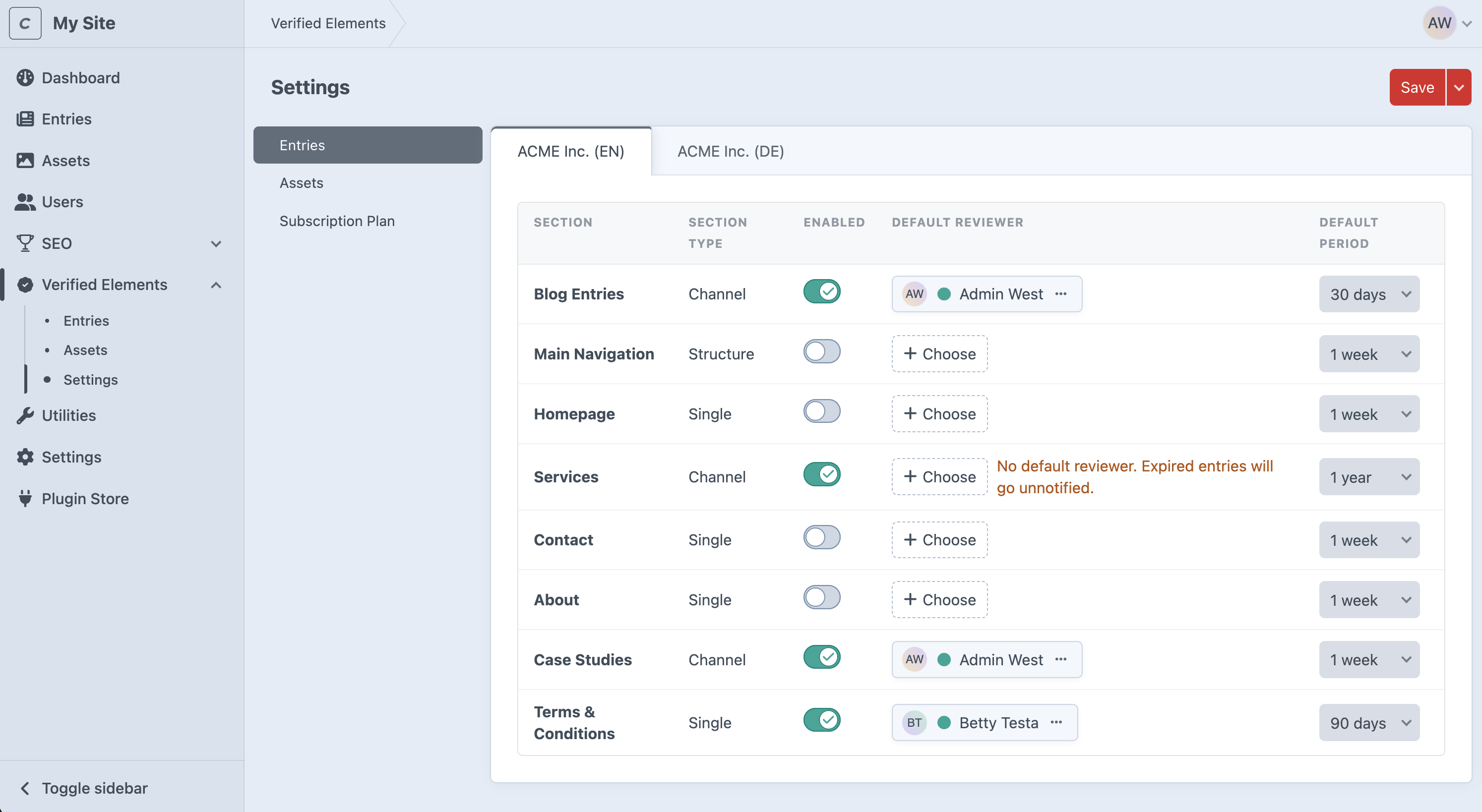
A table of all sections in your installation. Per section you configure:
- Enabled. Switch verification on or off for this section. Only enabled sections show the Verification panel, appear in the plugin's listings, and send notifications.
- Default Reviewer. The user assigned automatically to new entries in this section (when the entry gets a verification date and has no Reviewer yet). If a section is enabled without a default Reviewer, the page warns you: expired entries without a Reviewer are only reported to the system email address, not to a person.
- Default Period. The "Verified until" period applied automatically the first time an entry is saved: 7 days, 30 days, 90 days, 1 year, or Indefinitely. Editors can always override it per entry.
Multi-site (Pro edition): the page has one tab per site. Each site has its own enablement and defaults, so a section can be tracked on one site with different Reviewers than on another. Remember to save each site's tab separately.
Assets (Pro edition)
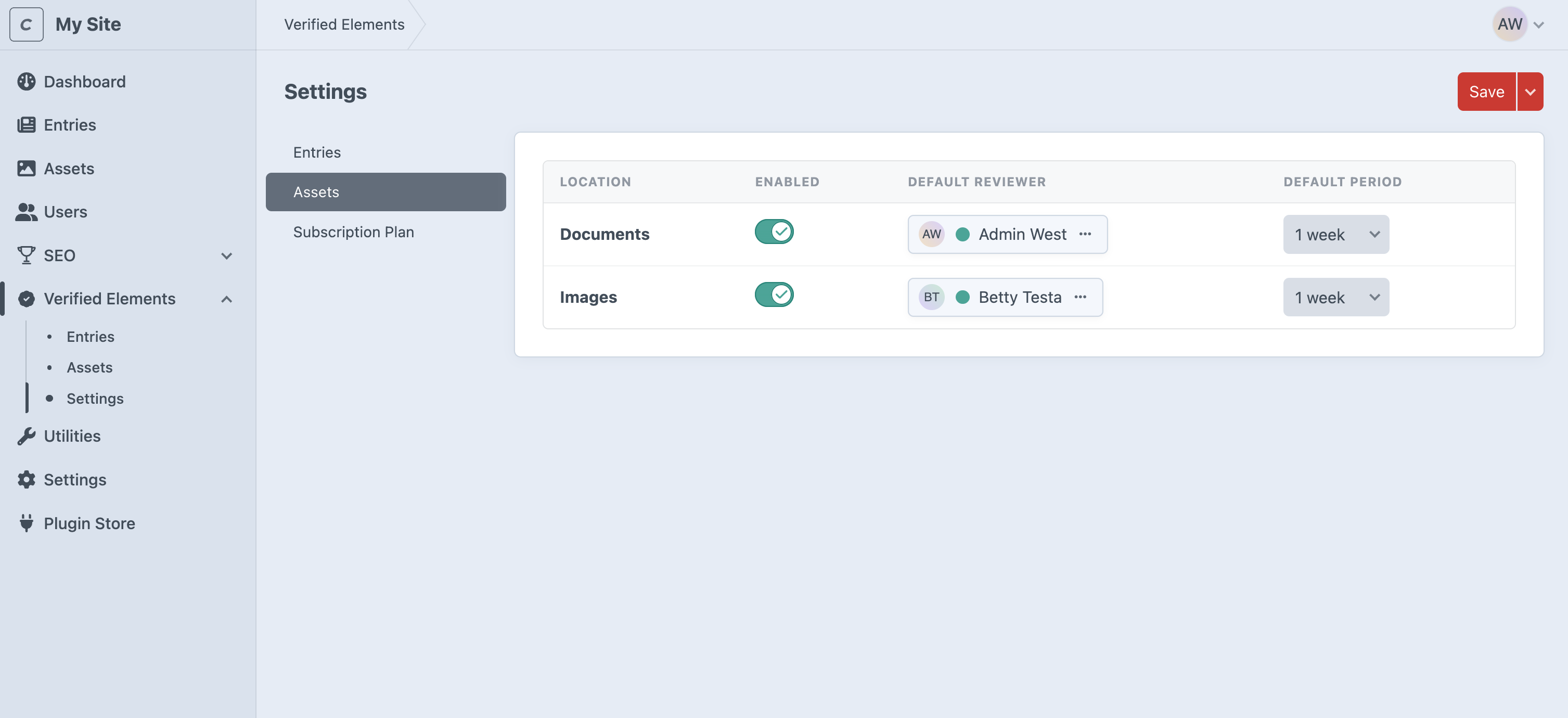
The same table for asset volumes: Enabled, Default Reviewer, Default Period per volume. Volumes aren't site-specific in Craft, so these settings apply to all sites at once, there are no site tabs.
Good to know
- Defaults only apply to new content. Changing a section's default period doesn't rewrite dates on existing entries; use the Verify bulk action for that.
- Disabling a section or volume hides its verification UI and stops its notifications, but doesn't touch stored data: existing "Verified until" dates and Reviewer assignments (both per-element and the container's own defaults) are left completely untouched in the database. While disabled, saves to its elements skip verification entirely (no date/Reviewer sync, no change notifications), and its expired elements are excluded from digest emails. Re-enabling restores everything exactly as it was; the one thing to expect is that any elements which expired while the section was disabled will show up in the next digest, since they were never counted as notified.
- When a new site is created, asset volume settings are carried over to it automatically. Entry sections start unconfigured on the new site and need to be enabled on their site tab.