The Verified Elements CP Section
Who's this page for?
Everyone who works with verification. The section appears in the control panel navigation for users with the "Access Verified Elements" permission.
The plugin adds its own Verified Elements area to the main navigation in the control panel (CP). This is the command center for the review workflow: one place to see every tracked entry and asset, filtered by verification state or Reviewer.
Pages
The plugin adds its own section in Craft's main left-hand navigation called "Verified Elements". Based on your edition, its subpages can include:
- Entries (all editions): All entries in enabled sections. This is the landing page of the section.
- Assets (Pro edition): All assets in enabled volumes.
- Settings (visible with the "Manage Verification Settings" permission). See Settings.
Filters in the sidebar
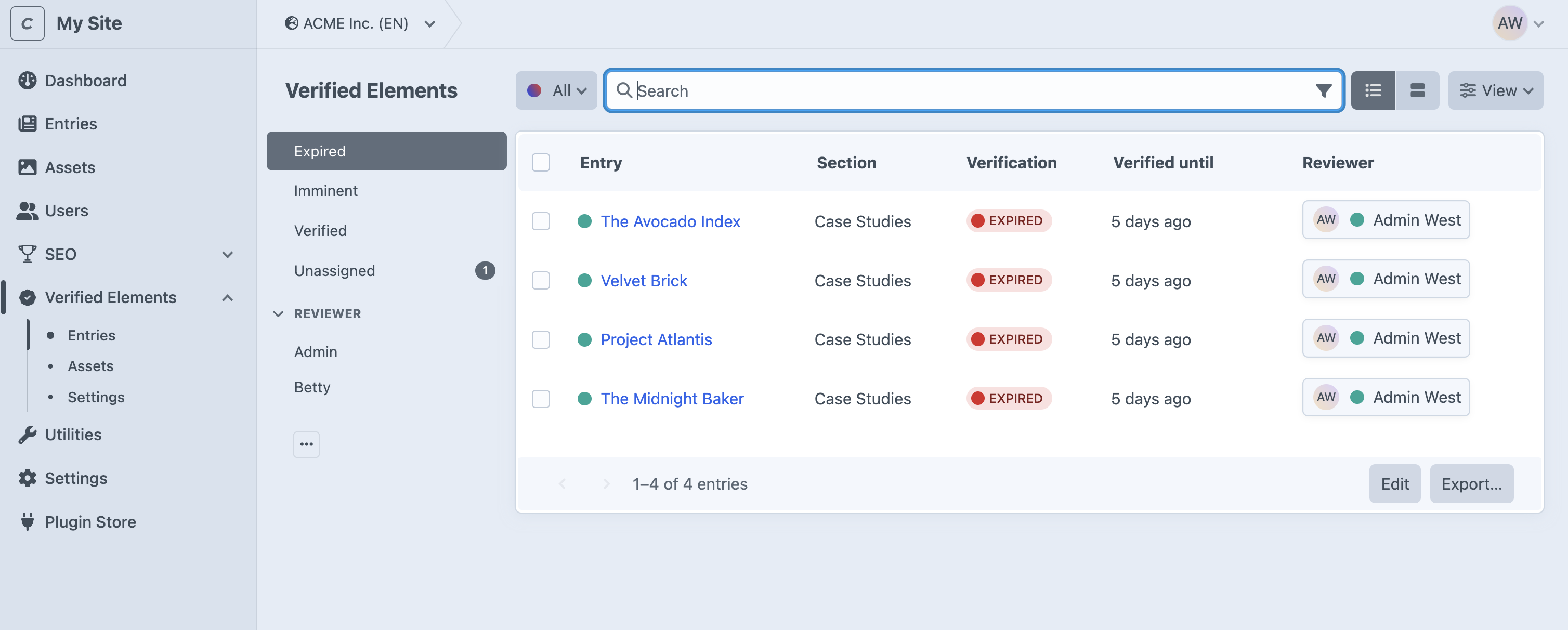
The left-hand sidebar groups elements by state (see sub-nav in screenshot above):
- Expired. Elements whose "Verified until" date has passed. These need attention now.
- Imminent. Verified elements that will expire within the next 30 days. Act here to stay ahead.
- Verified. Everything currently in good standing (including indefinitely verified elements).
- Unassigned. Elements without a Reviewer. A badge shows how many of them carry an expiry date and will therefore expire without anyone being notified; assign Reviewers to these first.
Below those, a Reviewer group lists one filter per person:
- Your own name always comes first, showing the elements assigned to you.
- Every other user who currently has review assignments gets their own filter.
NOTE
See the Core Concepts page for explanations on what these terms mean.
The table
Each row shows the element with its verification data:
- Verification status (Verified or Expired)
- Verified until, displayed in plain language ("Today", "5 days remaining", "12 days ago", or "Indefinite")
- Reviewer, or "Unassigned" in italics
You can sort by "Verified until", search, switch sites (Pro edition), and adjust columns like on any Craft listing. The "Verified until" date and the Reviewer can be edited inline without opening the element.
Acting on many elements at once
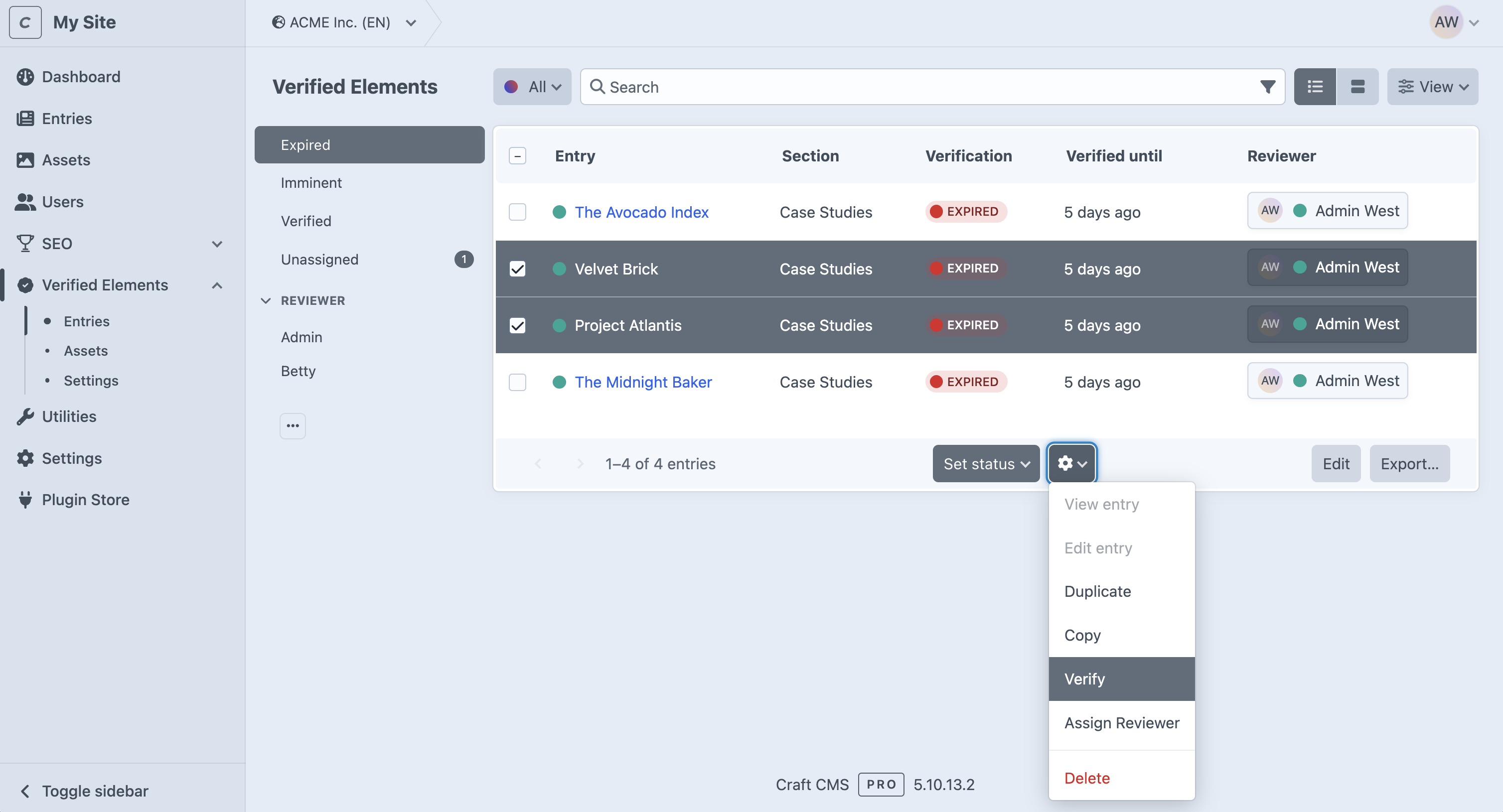
Select any number of rows and use the Verify or Assign Reviewer action at the bottom of the list. See Bulk Actions.