Email Notifications
The plugin sends two kinds of emails. Both use your site's normal email settings, so they come from the address with which your Craft installation is configured.
Expiry Digest Email
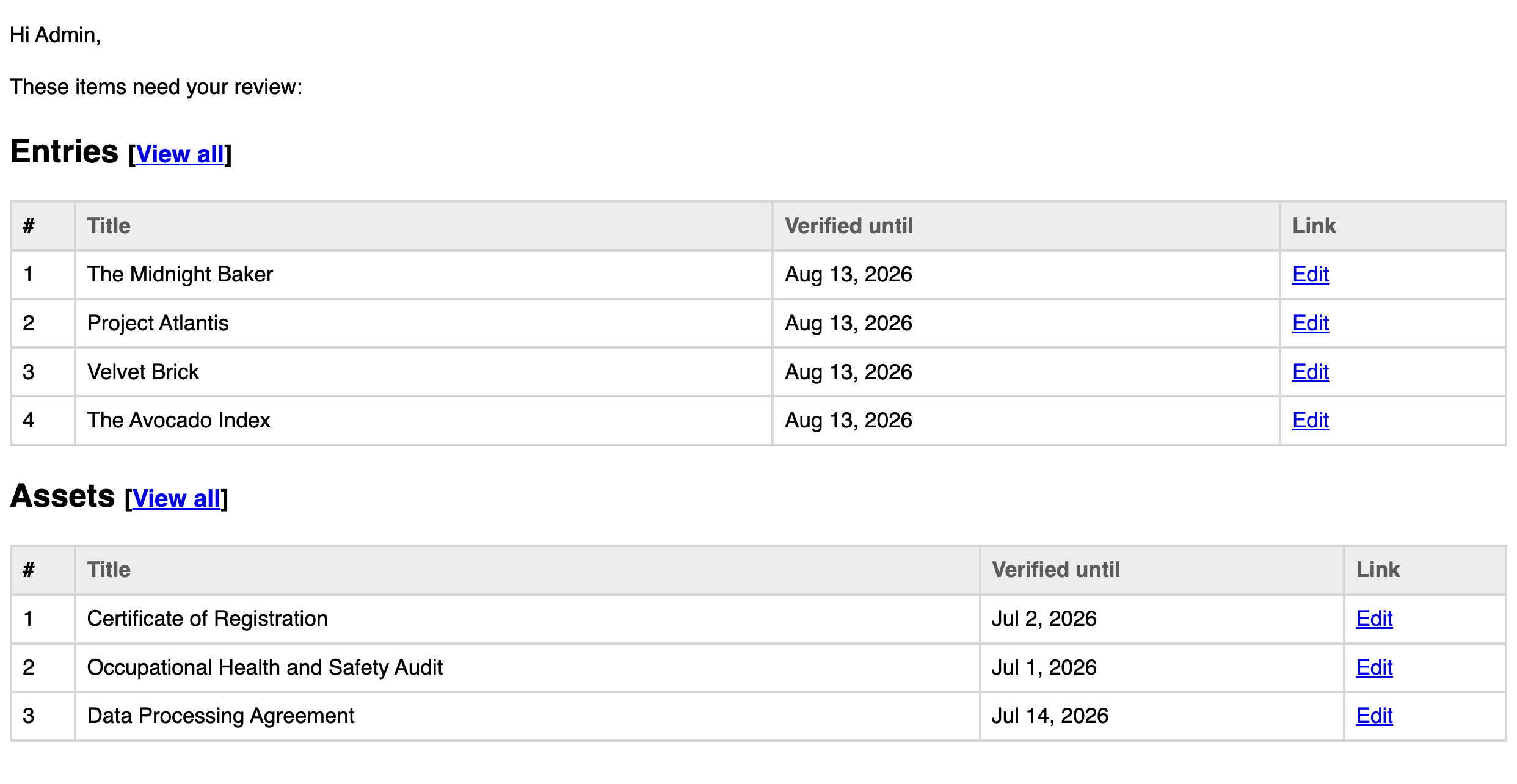
When elements expire, their Reviewers are notified:
- Per Reviewer: each Reviewer receives one digest email listing all of their expired elements ("3 items await your verification"), with links to review each item.
- Unassigned elements: expired elements without a Reviewer are collected into a digest sent to the site's system email address, so they don't slip through unnoticed. Keep the Unassigned list short by assigning Reviewers (see Bulk Actions).
- Inactive Reviewers: if a Reviewer's account no longer exists or is inactive, their expired elements are moved to the unassigned report.
When digests are sent
Digests are sent whenever the plugin's expiry check runs:
- During Craft's routine maintenance (garbage collection), which runs periodically on its own.
- When the scheduled check command is run. Site administrators should ask their developer to schedule
php craft verified-elements/check-expired-verificationsto run once daily (for example nightly via cron) so digests arrive predictably.
An element keeps appearing in digests until it's verified again, so nothing is forgotten, but a long-ignored queue also means repeated emails. Clear your queue, or switch items that never go stale to "Indefinitely".
TIP
The check has no deduplication — every run re-sends a full digest of everything currently expired. Scheduling the command more than once a day will email Reviewers duplicate digests for the same items, so once daily is the right interval.
Change Alert Email
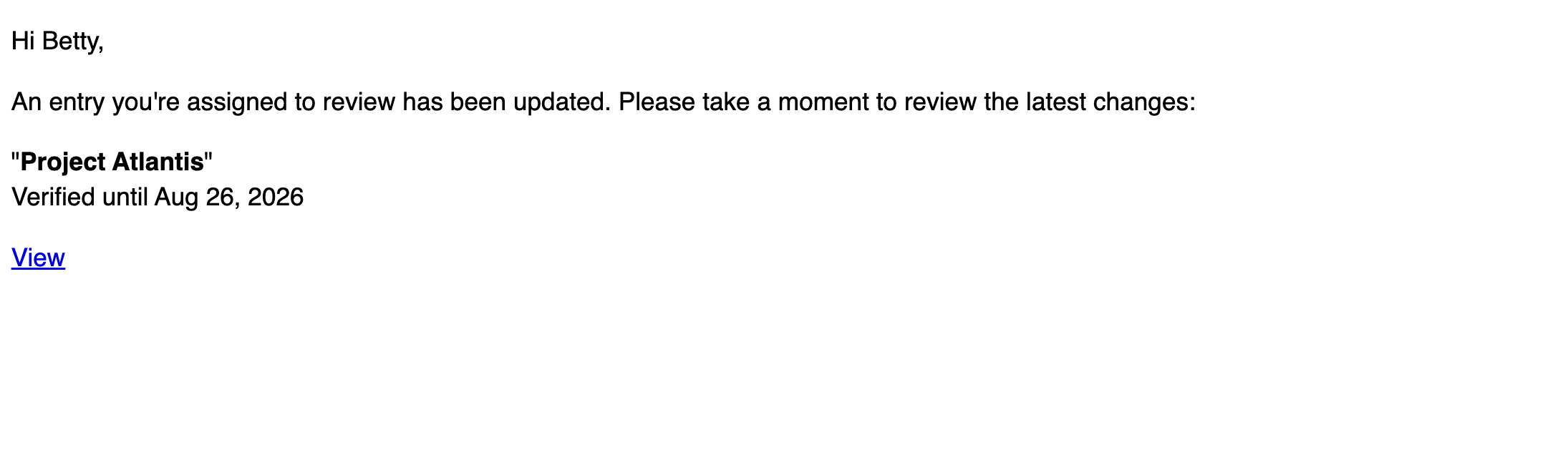
When a tracked element that has a Reviewer is edited and saved, the Reviewer immediately receives a short alert ("An entry you're assigned to review has been updated") with a link to the element. This lets Reviewers vouch for content with confidence: nothing changes behind their back.
Details:
- Alerts are only sent for elements that carry a "Verified until" date. Elements verified "Indefinitely" don't trigger them.
- You never receive an alert for your own edits, only when someone else changes your assigned element.
- For entries, any saved change triggers the alert.
- For assets, the alert is triggered by meaningful content changes, such as a replaced file or changed alt text.
What Reviewers should do with these emails
- Open the linked element.
- Review the content (for expiry digests: check that it's still accurate; for change alerts: check the recent edits).
- Set a new "Verified until" date to confirm the content, see Verifying Content.