Dashboard Widgets
Who's this page for?
Everyone with access to the plugin. Both widgets are added from Craft's dashboard via New widget, and each can be added once.
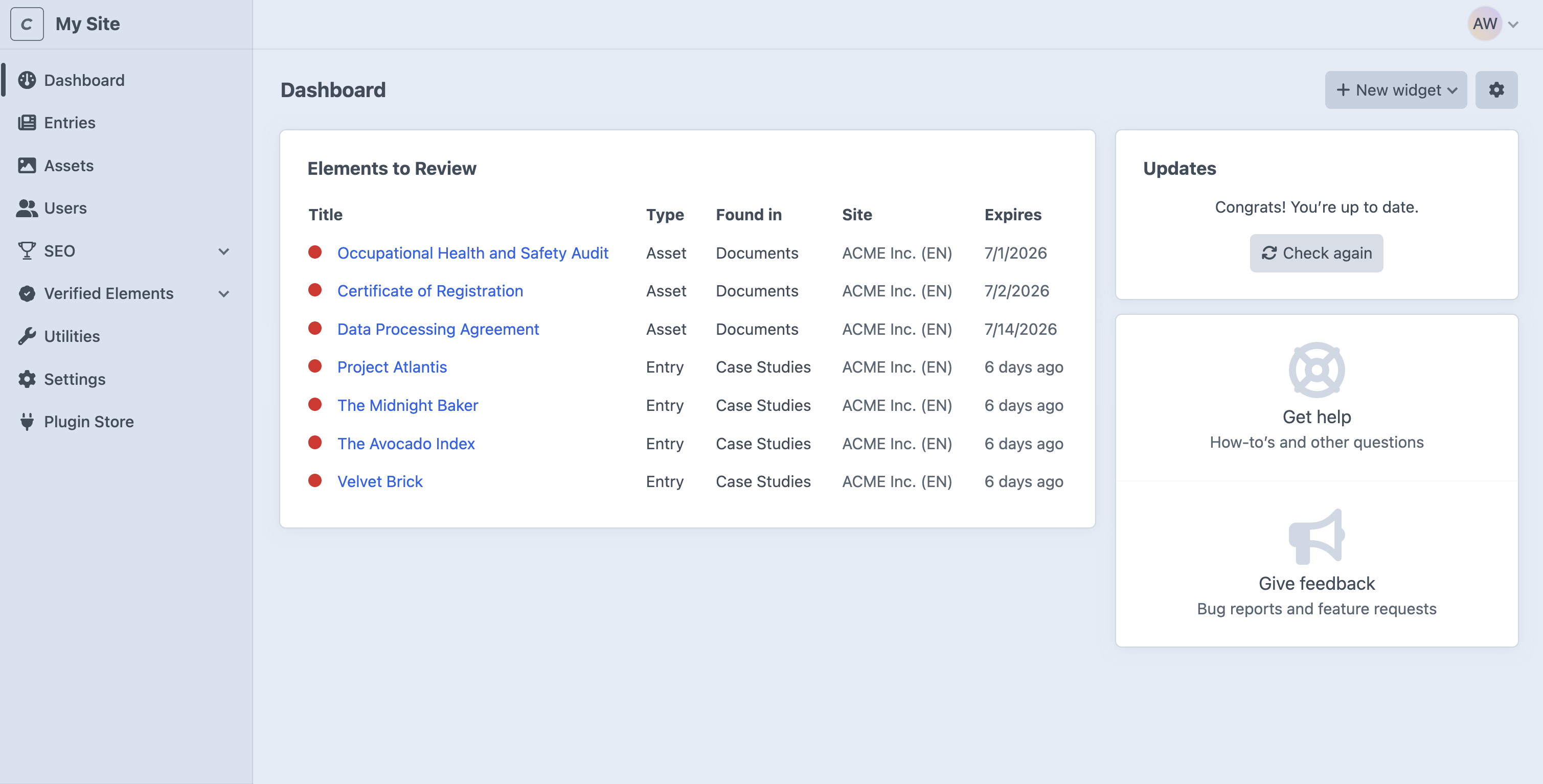
Elements to Review
Your personal to-do list. It shows the expired elements assigned to you, the most overdue first, with a link to each element, its type, and how long ago it expired. When your queue is empty, the widget says there's currently nothing to review.
TIP
Click the gear icon in the widget's top right corner to adjust how many elements to show (defaults to 10).
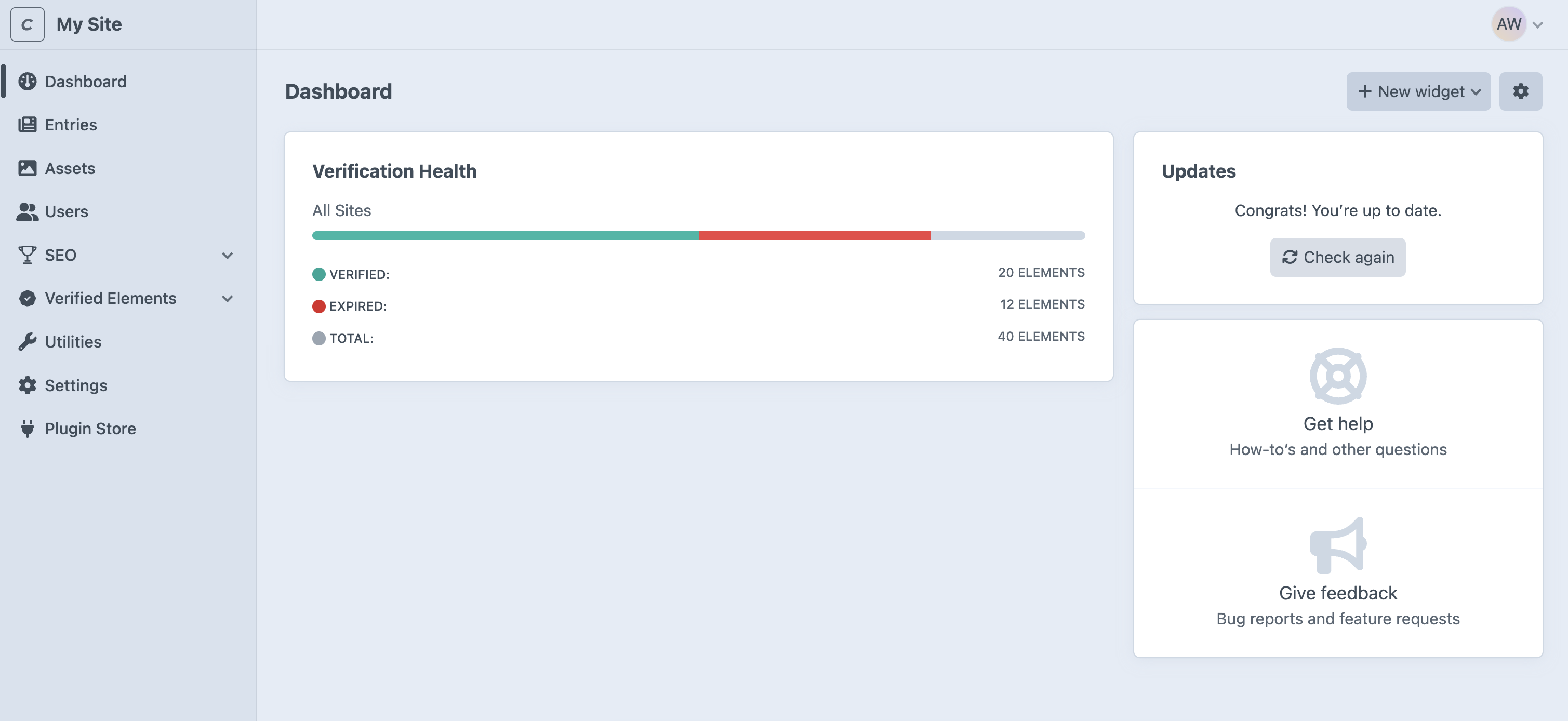
Verification Health
A team-level health meter. It counts all live, tracked elements (entries, and assets on Pro) across the enabled sections and volumes, and shows how many are Verified versus Expired, as one overall gauge. Untracked dates ("Indefinitely") count as Verified.
Use it to answer "how fresh is our content overall?" at a glance. For per-type or per-person breakdowns, use the filters in The Plugin's CP Section instead.
TIP
Click the gear icon in the widget's top right corner to limit the meter to one site, or show all sites combined if you have a multi-site (requires the Pro edition). The widget header shows which site it's displaying.